No external CAD
No kicad-cli, no FreeRouting JAR, no pcbnew.so. Every format we read or write is our own Go.

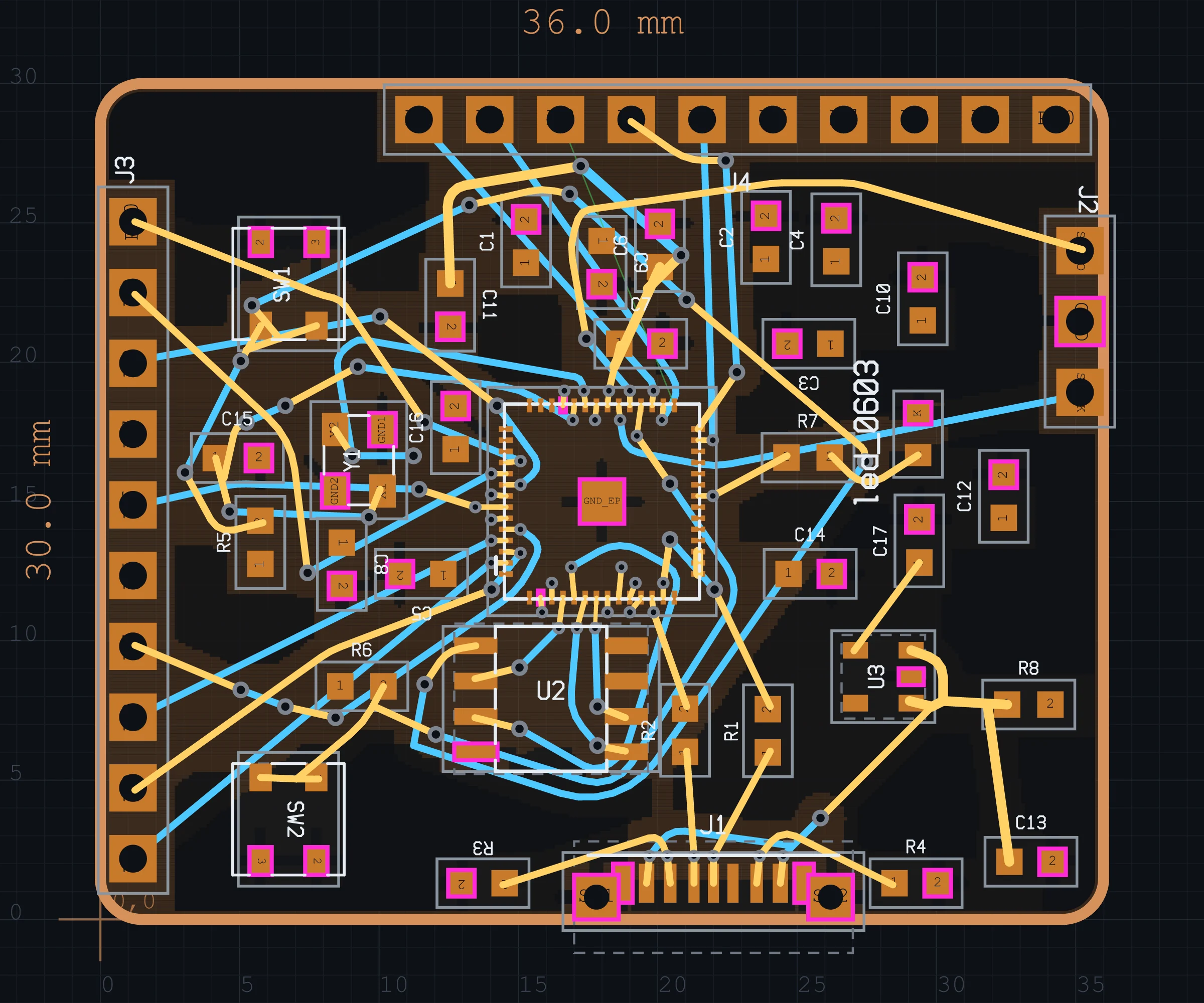
Fragua is AI-native PCB design. A coding agent drives schematic, placement, routing, DRC and signal integrity through a local script API — you supervise on a live canvas and ship a fab-ready zip. No KiCad. No FreeRouting. Pure Go.
curl -fsSL https://raw.githubusercontent.com/kidandcat/fragua/master/scripts/install.sh | sh
Real captures from the live Fragua session on the RP2040 experiment — routed copper on the board, net wires on the schematic. Not a mockup.
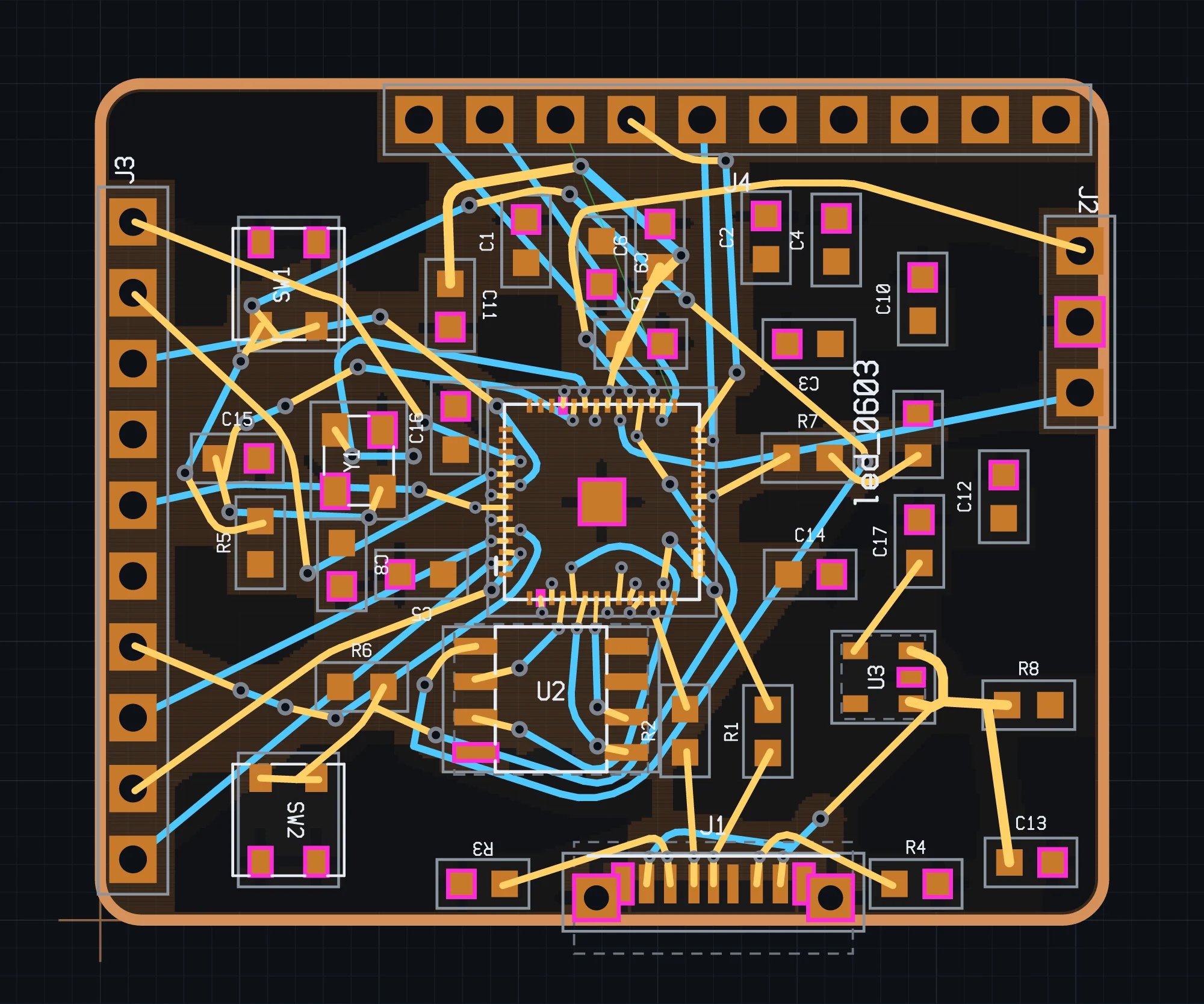
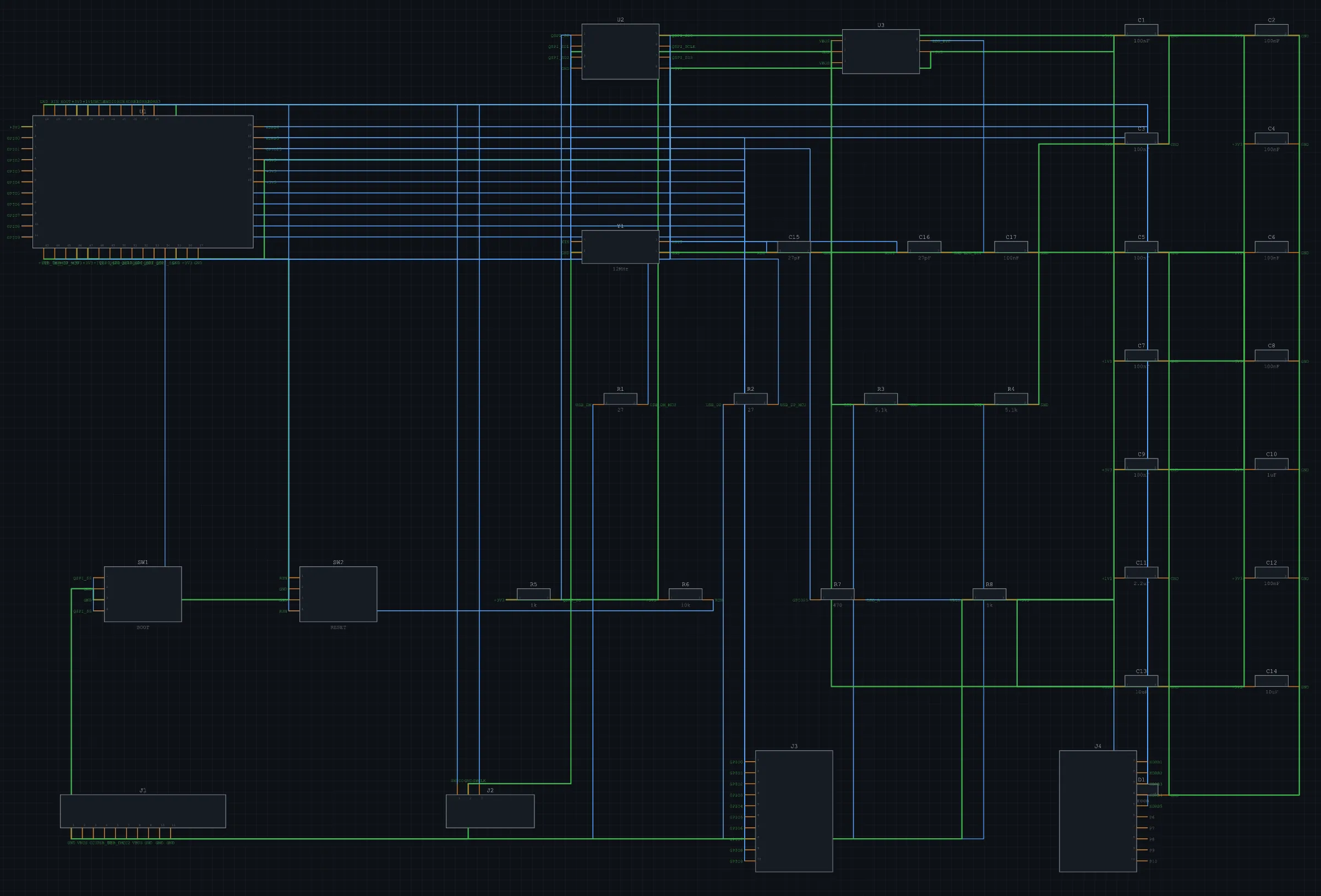
From a prompt or a script file to a zip you can upload to JLCPCB — every step is a tool the agent calls, streamed to the canvas as it runs.
Symbols, nets, ERC. Decoupling and pull-ups appear as the agent commits the circuit.
Electrostatic global place + SA legalisation. Edge-mount connectors face the outline on purpose.
Theta* any-angle engine across 2, 4 or 6 layers. Impedance-aware trace widths that neck only at pin escapes; vias where topology needs them.
DRC, ERC and si-check signal integrity — impedance vs target, return-path gaps, diff-pair skew. Then Gerber + Excellon + BOM + CPL in one fab zip. No external CAD.
Your coding agent posts plain multi-line scripts. Replies are text. The browser UI is the observation deck on the same in-memory project.
# load the RP2040 stress project, then drive it
$ fragua run stress/rp2040-minimal.fragua

$ curl -s http://127.0.0.1:7878/script \
    -H 'content-type: application/json' \
    -d '{"script":"status\nview board\nroute max_seconds=90\ndrc\nsi-check\npack fab=jlcpcb"}'

[L1 ok project.status] project : 36 footprint(s)
[L2 ok view] board
[L3 ok route]  routed · budget 90s · hints on congested nets
[L4 ok drc]     clearance clean under fab-rules
[L5 ok si-check] si: 0 errors, 1 warning — short neck on USB_DP
[L6 ok pack]    wrote fab-jlcpcb.zip
What Fragua will not trade away — the same rules the agent is held to.
No kicad-cli, no FreeRouting JAR, no pcbnew.so. Every format we read or write is our own Go.
The HTTP script surface is primary. The UI exists so a human can watch, drag a part, and feed feedback back.
Long routes and DRC stream progress. Pause, redirect, cancel — the agent does not own the keyboard.
Adopt JLCPCB / PCBWay rules before pack. Clearance under the fab limit is reported, not hidden.
macOS arm64/x64 and Linux x64. Windows builds on the releases page. MIT license.